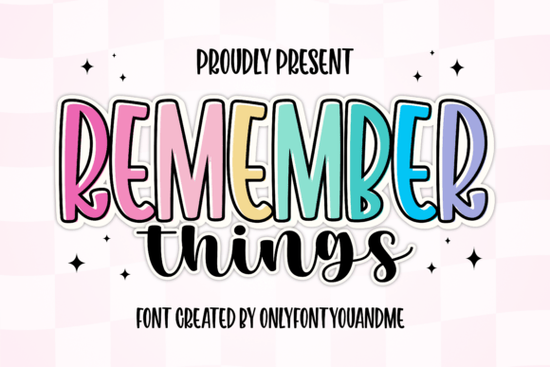
If you’re looking for a font that feels both bold and friendly, the Remember Things font might be just what your next project needs. It’s not one font but two a tall, outlined display style paired with a loose, handwritten script. Together, they give you options: punchy headlines with personality, or soft, casual accents that feel like a note from a friend. Whether you’re designing merch, social posts, greeting cards, or branding materials, this duo adapts without losing its charm.
What kinds of projects work best with this font?
The Remember Things pair shines when you want contrast something eye-catching but still approachable. Think:
- Print-on-demand products like mugs, totes, or T-shirts where the outlined display font pops at a distance, while the script adds a personal touch up close.
- Social media graphics especially quotes, announcements, or seasonal promotions. The bold style grabs attention; the script keeps it warm.
- Small business branding for cafes, boutiques, or handmade goods. The playful outline feels modern, while the brush script adds authenticity.
- Craft projects like vinyl decals, scrapbooking, or party decor. Layer them together for stickers, banners, or labels that feel custom-made.
If you’ve used fonts like Mascot College for team spirit or Comic Books for fun energy, you’ll appreciate how Remember Things sits in that sweet spot between structured and spontaneous.
How do the two styles work together?
The display font is built for impact tall letters with smooth curves and an optional outline layer that mimics sticker or decal effects. It’s great for titles, logos, or anything meant to stand out. The script font, meanwhile, flows naturally with brush-like strokes, perfect for subheadings, captions, or handwritten-style notes.
You don’t have to use both at once, but when you do, they balance each other. Try using the display font for your main message (“Summer Sale!”) and the script for supporting text (“Handpicked just for you”). Or layer them slightly offset for a DIY sticker effect popular in planner designs and kids’ room decor.
For comparison, if you’ve worked with heavier display fonts like Stacked Chunky or vintage-inspired ones like Old Vintage Victorian III, you’ll find Remember Things feels lighter and more flexible less formal, more conversational.
Is it easy to customize or layer?
Yes. Both fonts come in standard formats (OTF, TTF, WOFF), so they work in most design software Canva, Photoshop, Illustrator, Silhouette Studio, Cricut Design Space, etc. The display font includes an outline version, which means you can color the fill and stroke separately for more creative control.
Here’s a simple trick: place the outlined version behind the solid version, shift it slightly, and you get instant depth no plugins needed. Or try pairing the script with a minimalist sans-serif (not included) for contrast in longer blocks of text.
If you like mixing eras say, pairing something modern with retro flair check out Modern Vintage for similar hybrid appeal.
Who should avoid this font?
It’s not ideal for long paragraphs or corporate documents. The display style is too tall and stylized for body text, and the script, while legible, isn’t meant for dense reading. Also, if your brand voice is ultra-minimalist or strictly professional (think law firms or financial reports), this might feel too playful.
But for anyone making things that should feel joyful, handmade, or community-focused? It’s a natural fit.
Any tips for getting the most out of it?
- Use sparingly. One strong headline in the display font + a short script phrase underneath often works better than crowding a layout.
- Play with color. The outline layer looks great with contrasting fills neon pink inside, black outline, for example.
- Scale wisely. The script holds up at small sizes, but the display font needs room to breathe. Don’t shrink it below 24pt unless testing first.
- Pair with photos. These fonts look especially good over textured backgrounds or candid lifestyle shots think picnic blankets, chalkboards, or coffee shop counters.
Before you download, ask yourself: Does my project need warmth and visibility at the same time? If yes, give Remember Things a try. It’s the kind of font that makes your audience smile before they even read the words.
Next step: Open your current project file. Try replacing one headline with the display font and one caption with the script. See how it changes the mood. If it feels right, you’ve found your new go-to duo.
Get Started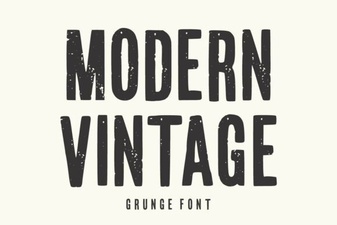 Modern Vintage Fonts for Creative Designers
 Varsity Sport Army Font for Sports Design Projects
 Wildflower School: a Free Creative Font for Educators
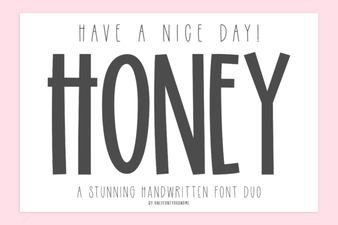 Have a Nice Day Honey Font: Download & Free Use Guide
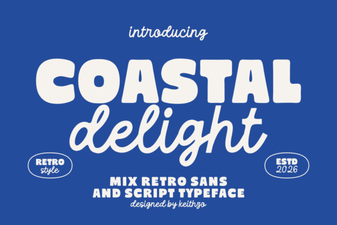 Coastal Delight Font: Elegance for Seaside Designs
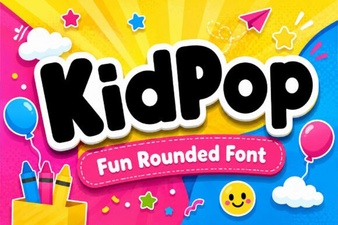 Kidpop Font: Creative Projects for Kids